As a cable hardware supplier, I’ve spent the last 12 years on the floor, walking through manufacturing lines, troubleshooting client breakdowns at construction sites, and fielding late-night calls from IT managers whose server racks just went dark. I’ve seen cable hardware fail in ways that range from the mildly annoying—like a loose connector that cuts Wi-Fi for a break room printer—to the catastrophic, like a server farm outage that costs a retail client $140,000 in lost sales in a single afternoon. Too often, teams brush off early warning signs as “normal wear and tear” or “user error,” only to deal with costly, avoidable repairs later. If you rely on cable hardware for your operations, knowing how to spot faulty hardware before it fails can save you time, money, and major headaches. Cable Hardware
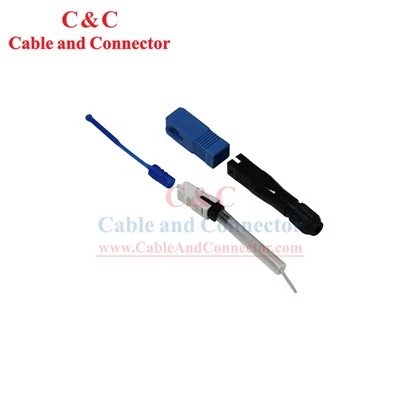
First, let’s start with the visible, physical signs—these are the easiest to catch if you take 10 minutes a month to inspect your runs. I once worked with a small manufacturing plant that ignored frayed outer jackets on their Ethernet cables for six months; the frays eventually exposed internal wires, which sparked a small fire near a power inverter. That plant’s insurance premium jumped 22% after the incident, and they ended up replacing 200 feet of cable, not just the frayed section, because the rest had been compromised. Frayed or cracked outer jackets are a top red flag, but they’re not the only physical cue. Connector pins—those tiny metal prongs inside the end of a cable—are delicate; even a single bent pin can cause intermittent connection drops. A common mistake here is trying to straighten a bent pin with a small tool, which can scratch its surface and create a weak spot that breaks down over time. I always tell clients: if a pin is bent, replace the connector, not the pin. Another physical sign is a loose or wiggly connector. If you plug a cable into a switch and it moves more than a millimeter when you tug gently, the internal locking tab is worn out. That tab is what keeps the connector secure against vibration, which is a huge issue in warehouses, factories, or any space with heavy machinery that shakes equipment nonstop. We’ve seen clients who duct-tape loose connectors instead of replacing them, and 9 times out of 10, that tape slides off, the cable dislodges, and a critical assembly line shuts down.
Next, there are performance issues that don’t always point to cable hardware, but when paired with physical checks, they’re hard to ignore. Intermittent signal drops are the most common here. If your Wi-Fi cuts out for 10 seconds every hour during the workday, or your video call freezes mid-pitch to a client, don’t just blame the router. We tested a set of coaxial cables for a cable TV provider last year that were rated for 5 GHz, but their internal shielding was faulty—so any device using that frequency would drop signals. The provider thought the problem was with their new mesh router, until we sent a tech to run a signal tester; the faulty cable hardware was the root cause. Another performance sign is slow data transfer speeds that aren’t explained by network load. If your team’s file transfers take twice as long as they did three months ago, and you’ve already upgraded your switches or internet plan, check your cable hardware. We’ve seen Cat 6 cables with loose internal twists—manufacturers sometimes skip the twisting step to cut costs—that cause signal crosstalk, slowing speeds by up to 40%. That crosstalk also causes frequent error messages, like “connection reset” or “data corruption,” when transferring large files. If you’re seeing those errors consistently, even when using a single device on a dedicated cable run, that’s a clear sign your hardware is faulty.
Thermal issues are another often-overlooked sign of bad cable hardware, especially for power cables. A few years back, we had a commercial construction client who reported that their power cables for a lighting bank were getting hot to the touch. They initially thought the problem was overloading the circuit, but when we tested the cables, we found that the internal conductor was made of a thinner gauge than marked—counterfeit hardware, basically. That thinner conductor had higher resistance, which generated excess heat; if they’d kept using it, the cable could have melted and caused a electrical fire. For power cables, any temperature over 140°F when the circuit is under full load is a warning sign. You can test this with a simple infrared thermometer, which most maintenance teams already have. Also, if your cable hardware feels hotter than the surrounding equipment, don’t wait to replace it—thermal damage is cumulative, and each time it overheats, it weakens the conductor, making failure more likely down the line.
Environmental damage is a sneaky sign of faulty cable hardware, especially for outdoor runs or cables in harsh indoor spaces like chemical plants. We recently replaced a set of outdoor network cables for a solar farm that were installed with low-grade UV-resistant jackets. The hardware was supposed to last 5 years, but after 18 months, the jackets were brittle and cracked from sun exposure. The solar farm’s team had planned to replace the cables during their 5-year maintenance cycle, but they had to do it early when the exposed wires caused short circuits. For cables in outdoor or high-moisture spaces, look for discoloration (yellowing or fading of the jacket), brittleness (crumbing when you bend the cable slightly), or water pooling at connector ends. Those are all signs that the hardware’s resistance to environmental factors is failing, which means it’s not going to protect internal wires from corrosion or shorts. In chemical plants, another environmental sign is a sticky or discolored jacket—this means the cable is being exposed to harsh chemicals that are breaking down the outer insulation, and you’ll need to replace it with hardware rated for chemical resistance right away.
Now, let’s talk about the difference between normal wear and tear and actual faulty hardware. A little fraying on a cable that’s been pulled through a tight wall during a single installation is normal, but widespread fraying across a whole run or fraying near a connector is not. Intermittent drops that happen once a week might be a router issue, but drops that happen multiple times a day and only when that specific cable is in use is hardware-related. As a supplier, I’ve also seen a lot of clients mistake low-quality hardware for normal performance. We sell cables that are tested to meet industry standards, but some cut-rate hardware skips those tests—so it works for a few months, then fails. The good news is that most faulty cable hardware is avoidable if you do regular, low-effort checks: once a quarter, walk through your cable runs, check connectors for tightness, feel for excess heat, and run a quick speed test on a few devices. We also offer free hardware inspections for our long-term clients, because we’d rather catch a faulty run before it causes a shutdown than fix the mess after.
At the end of the day, faulty cable hardware isn’t just an inconvenience—it’s a risk to your business, your equipment, and even your people. I’ve seen warehouses shut down for 12 hours because a single faulty power cable sparked, office teams miss a million-dollar client pitch because their network cable cut out mid-demo, and even small electrical fires from low-quality hardware. If you’re noticing any of the signs I’ve talked about—physical damage, intermittent performance, excess heat, or environmental deterioration—don’t wait until it fails to act. We specialize in reliable, tested cable hardware that’s built to last, and we work with teams across industries to keep their operations running smoothly. Reach out to our team to discuss your needs, whether you’re replacing a single faulty cable or upgrading an entire network.
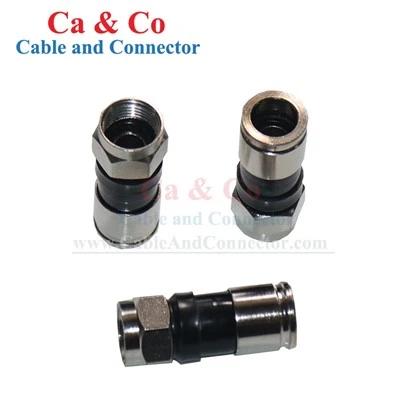
RG6 Connector References
- National Electrical Manufacturers Association (NEMA). 2022. “Cable Hardware Performance and Safety Standards.” NEMA Research Report Series.
- International Organization for Standardization (ISO). 2021. “Requirements for Electrical Cable Connectors and Hardware for Industrial Applications.” ISO 11801:2021.
- Institute of Electrical and Electronics Engineers (IEEE). 2020. “Fault Detection and Prevention for Low-Voltage Cable Hardware.” IEEE Transactions on Industrial Electronics.
- Occupational Safety and Health Administration (OSHA). 2023. “Electrical Hazard Prevention for Cable and Wiring Systems.” OSHA General Industry Guidelines.
Zhejiang Cable and Connector Optic Co., Ltd.
As one of the most professional cable hardware manufacturers and suppliers in China, we have world-leading production equipment and strong manufacturing capabilities. Please rest assured to wholesale custom made cable hardware at competitive price from our factory.
Address: 1517 East Communications Building, No.398, Wensan Road, Xihu District, Hangzhou City, Zhejiang Province, China.
E-mail: Sales@CableAndConnector.com
WebSite: https://www.zjcableandconnector.com/
